
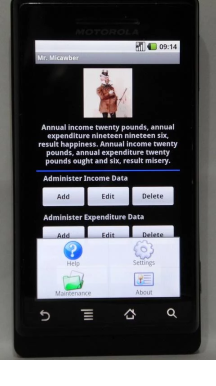
This is a personal budgeting application based on Mr. Micawber's principle that, to ensure a happy life, expenses should never exceed earnings - the application works as follows:
- Income and Expenditure are classified into categories for easy sorting and reference
- A default set of categories is included in the application - this set can be added to and/or the contents modified or deleted via the 'Maintenance' tab in the Menu to suit both local language and personal preference
- Entries are added by choosing the date and category and then entering the amount - if desired, a short description can also be added via the 'Details' field
- Existing entries can be modified or deleted as required
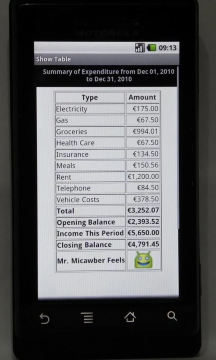
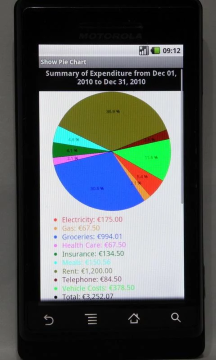
- Reports are available as both summary and detailed tables and via summary pie charts
- Data from the tables can be exported in csv format to the sdcard
- A display currency can be chosen - the default is 'No Currency'
- A password can be set, changed and removed as required - the default is 'No Password'
The simple format of the application allows income and expenses to be routinely tracked over time whilst requiring the minimum of effort to keep the information updated.